ENDIzLED-170 — 8-Port , DMX controller , LED Pixel Controller (Up to 8,192 Pixels)
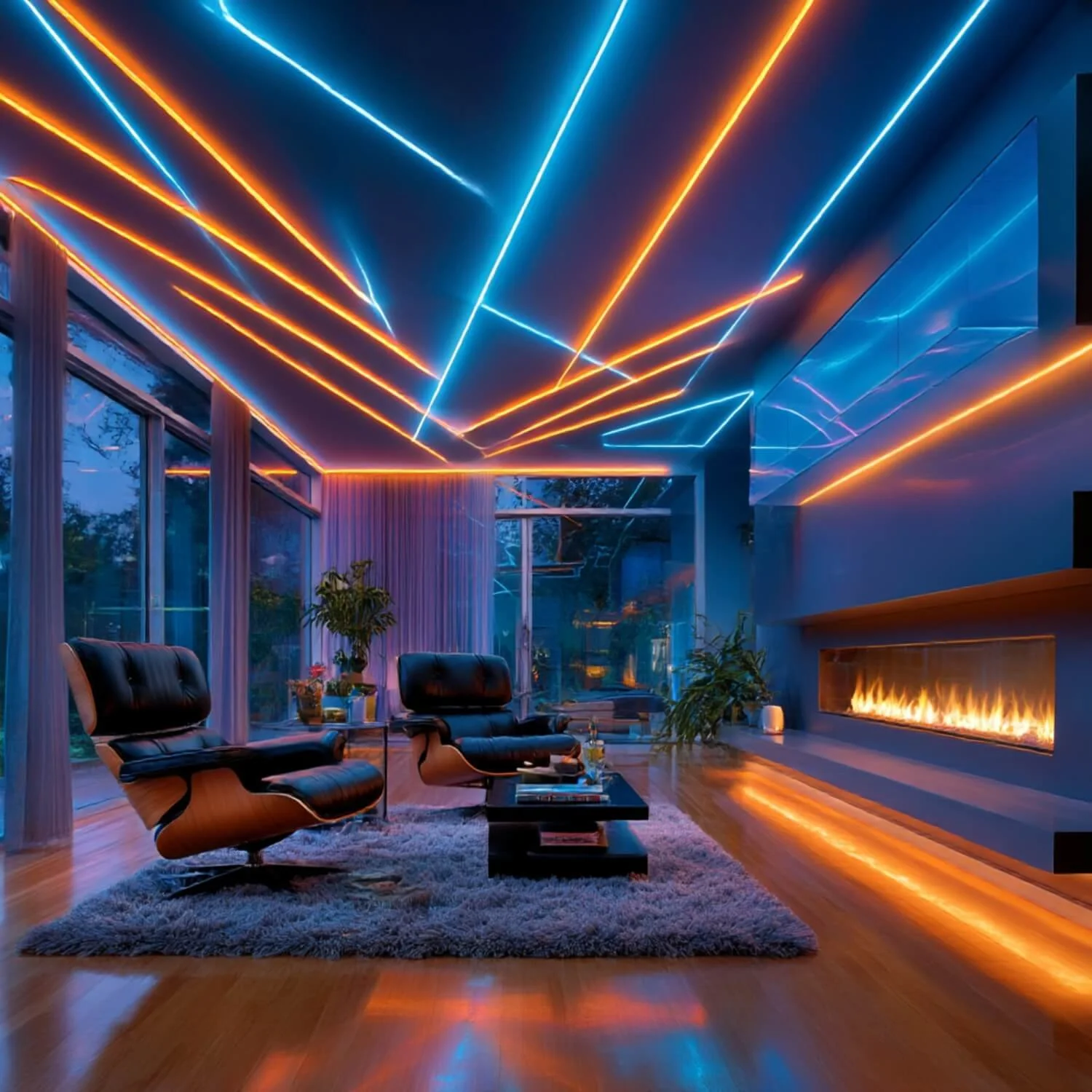
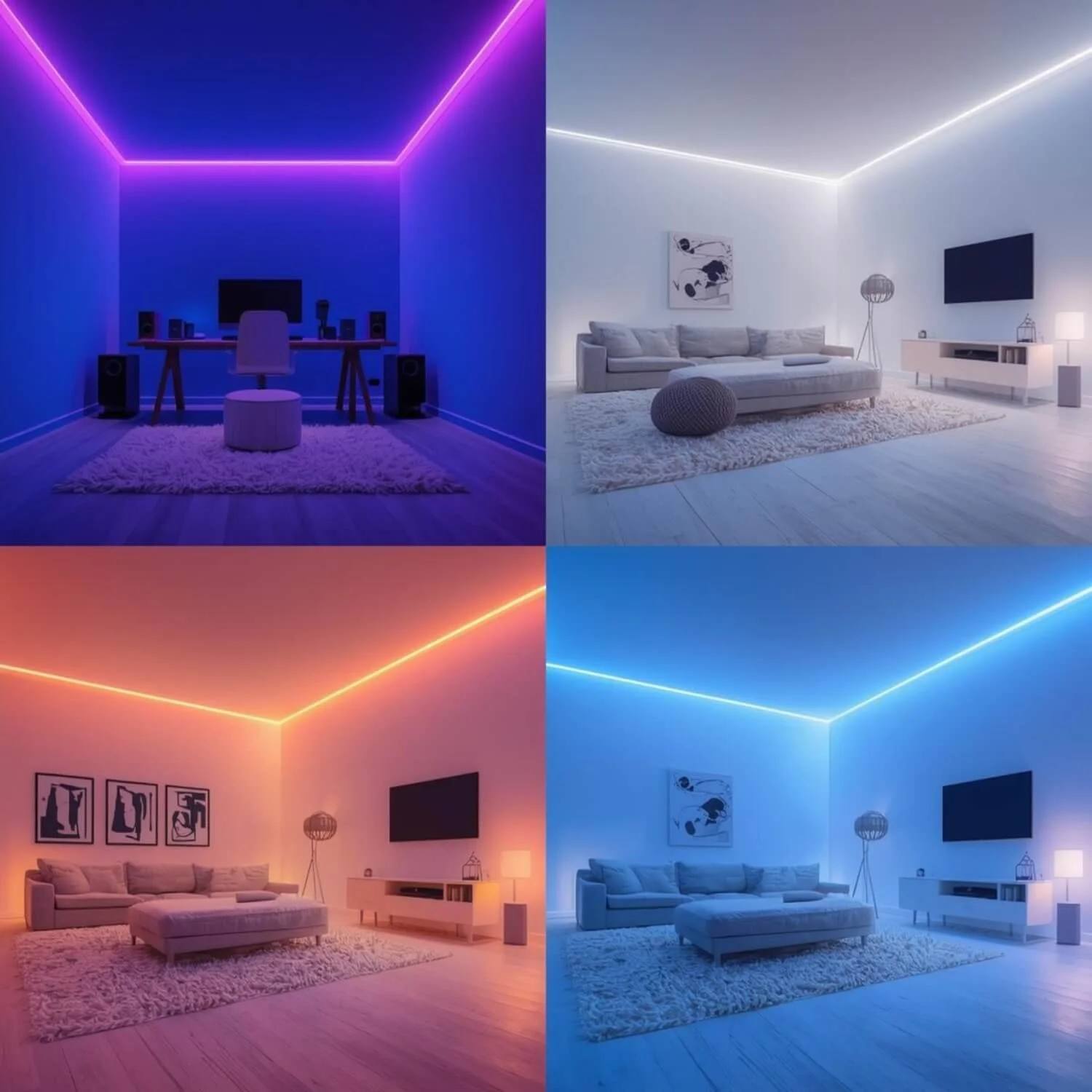
- Powerful, reliable 8-port LED pixel controller designed for medium to large LED projects — up to 8,192 pixels total. Ideal for pixel matrices, architectural lighting, stage installations and programmable signage.
Why choose the ENDIzLED-170
- Scalable control: 8 separate output ports (each up to 1,024 points) lets you organize and drive large pixel arrays with a single controller.
- Flexible protocol support: Works with a wide range of LED driver chips and protocols — Art-Net compatible for easy integration into networked lighting setups and supports DMX addressing for console control.
- Stand-alone & networked operation: Play preloaded sequences from an SD card, or connect via LAN to synchronize multiple controllers and perform firmware updates.
Key features
- 8 output ports, controllable up to 8,192 pixels (1024 pixels per port).
- SD card playback (FAT32/FAT16), supports multiple DAT files (up to 64).
- Art‑Net compatible; supports LAN synchronization and online firmware upgrades.
- DMX console connection and DMX chip addressing support (RGB/RGBW and many chip types).
- LCD screen with four-button front panel (MENU / - / + / OK) for local setup and file selection.
- Encryption/password protection and option to limit number of power-on uses.
- Low idle power consumption (~3 W).
- Wide operating temperature range: -20°C to 85°C.
Supported chips and software
- Supports many popular LED driver chips (examples include DMX512, APA102, WS2811/WS2812, TM18xx series, UCS series, SK68xx, SM16xxx series and more).
- Recommended programming tool: "LED Programming Software" v4.47 and above.
(If you need a specific compatibility check for a chip not listed, I can confirm details.)
Technical specifications
- Model: ENDIzLED-170
- Input voltage: AC 220 V
- Max controllable pixels: 8,192 total (1,024 per port)
- Power consumption (controller only): ~3 W
- Weight: ~1.1 kg
- Operating temperature: -20°C to 85°C
- Dimensions: L 234 x W 170 x H 41 mm
- Network: 2 x RJ45 (NET1 / NET2) for LAN sync and protocol (Art-Net)
- Storage: SD card slot (SD card not always included — check product listing)
Quick start — 3 steps
1. Prepare content: Use compatible LED programming software to export DAT or TAB files to SD card (FAT32/FAT16).
2. Insert SD card, power up the controller (AC220V). Use the LCD and buttons to select and play files, or connect via LAN for Art‑Net control.
3. For multi-controller sync, link controllers over LAN and use same network settings or master controller commands.
What’s in the box (typical)
- ENDIzLED-170 controller unit
- Quick start guide (basic wiring & menu operation)
- Mounting brackets/feet (as pictured)
- Note: SD card may not be included — check the product listing
Tips & recommendations
- Plan wiring and power distribution for LED pixels separately — the controller manages data, not pixel supply power.
- Always test a small segment of pixels before full installation to confirm chip compatibility and mapping.
- For DMX console operation, confirm DMX addressing and channel mapping for your pixel type.
ENDIzLED-170 — 8-Port , DMX controller , LED Pixel Controller (Up to 8,192 Pixels)
- Powerful, reliable 8-port LED pixel controller designed for medium to large LED projects — up to 8,192 pixels total. Ideal for pixel matrices, architectural lighting, stage installations and programmable signage.
Why choose the ENDIzLED-170
- Scalable control: 8 separate output ports (each up to 1,024 points) lets you organize and drive large pixel arrays with a single controller.
- Flexible protocol support: Works with a wide range of LED driver chips and protocols — Art-Net compatible for easy integration into networked lighting setups and supports DMX addressing for console control.
- Stand-alone & networked operation: Play preloaded sequences from an SD card, or connect via LAN to synchronize multiple controllers and perform firmware updates.
Key features
- 8 output ports, controllable up to 8,192 pixels (1024 pixels per port).
- SD card playback (FAT32/FAT16), supports multiple DAT files (up to 64).
- Art‑Net compatible; supports LAN synchronization and online firmware upgrades.
- DMX console connection and DMX chip addressing support (RGB/RGBW and many chip types).
- LCD screen with four-button front panel (MENU / - / + / OK) for local setup and file selection.
- Encryption/password protection and option to limit number of power-on uses.
- Low idle power consumption (~3 W).
- Wide operating temperature range: -20°C to 85°C.
Supported chips and software
- Supports many popular LED driver chips (examples include DMX512, APA102, WS2811/WS2812, TM18xx series, UCS series, SK68xx, SM16xxx series and more).
- Recommended programming tool: "LED Programming Software" v4.47 and above.
(If you need a specific compatibility check for a chip not listed, I can confirm details.)
Technical specifications
- Model: ENDIzLED-170
- Input voltage: AC 220 V
- Max controllable pixels: 8,192 total (1,024 per port)
- Power consumption (controller only): ~3 W
- Weight: ~1.1 kg
- Operating temperature: -20°C to 85°C
- Dimensions: L 234 x W 170 x H 41 mm
- Network: 2 x RJ45 (NET1 / NET2) for LAN sync and protocol (Art-Net)
- Storage: SD card slot (SD card not always included — check product listing)
Quick start — 3 steps
1. Prepare content: Use compatible LED programming software to export DAT or TAB files to SD card (FAT32/FAT16).
2. Insert SD card, power up the controller (AC220V). Use the LCD and buttons to select and play files, or connect via LAN for Art‑Net control.
3. For multi-controller sync, link controllers over LAN and use same network settings or master controller commands.
What’s in the box (typical)
- ENDIzLED-170 controller unit
- Quick start guide (basic wiring & menu operation)
- Mounting brackets/feet (as pictured)
- Note: SD card may not be included — check the product listing
Tips & recommendations
- Plan wiring and power distribution for LED pixels separately — the controller manages data, not pixel supply power.
- Always test a small segment of pixels before full installation to confirm chip compatibility and mapping.
- For DMX console operation, confirm DMX addressing and channel mapping for your pixel type.


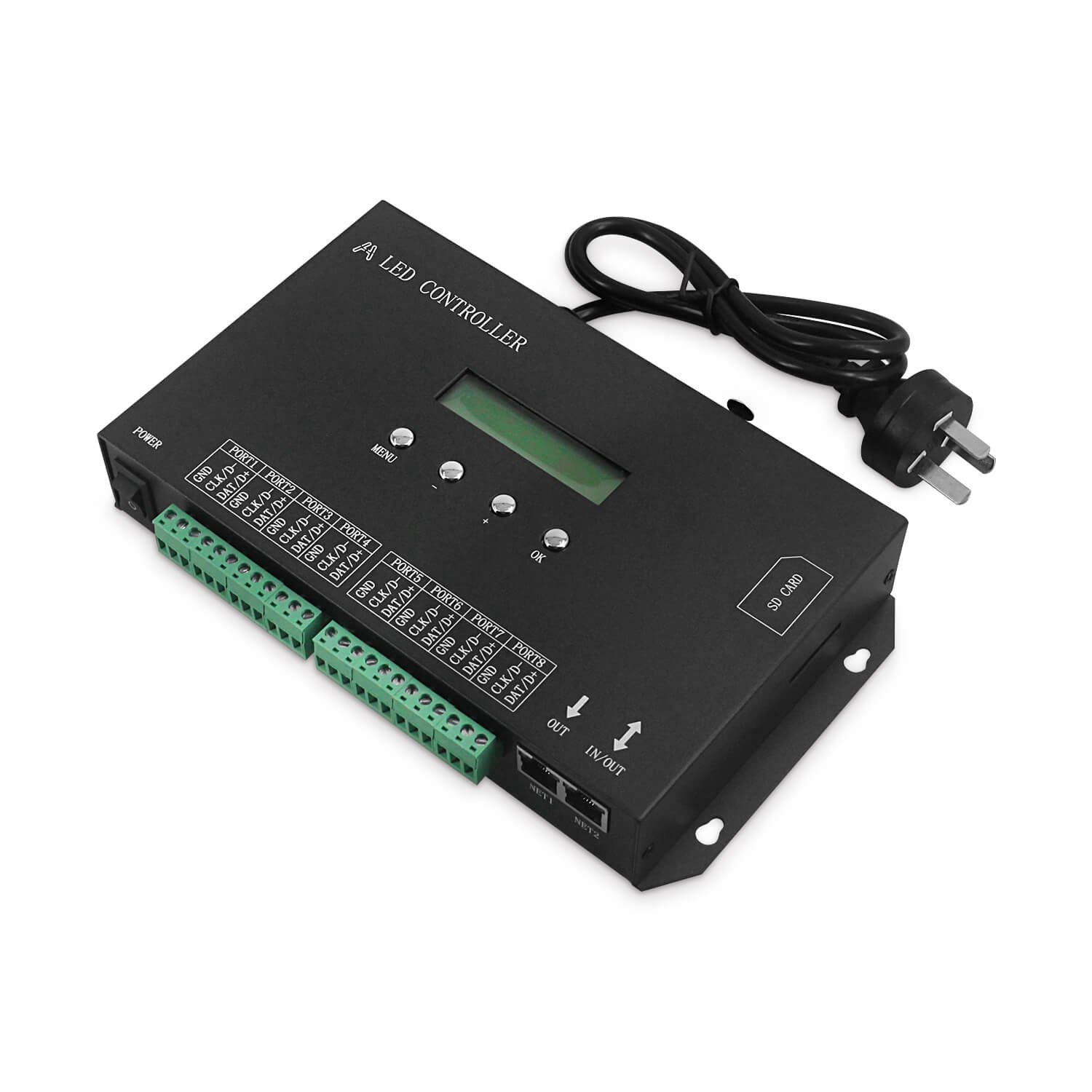 Image 1 of 17
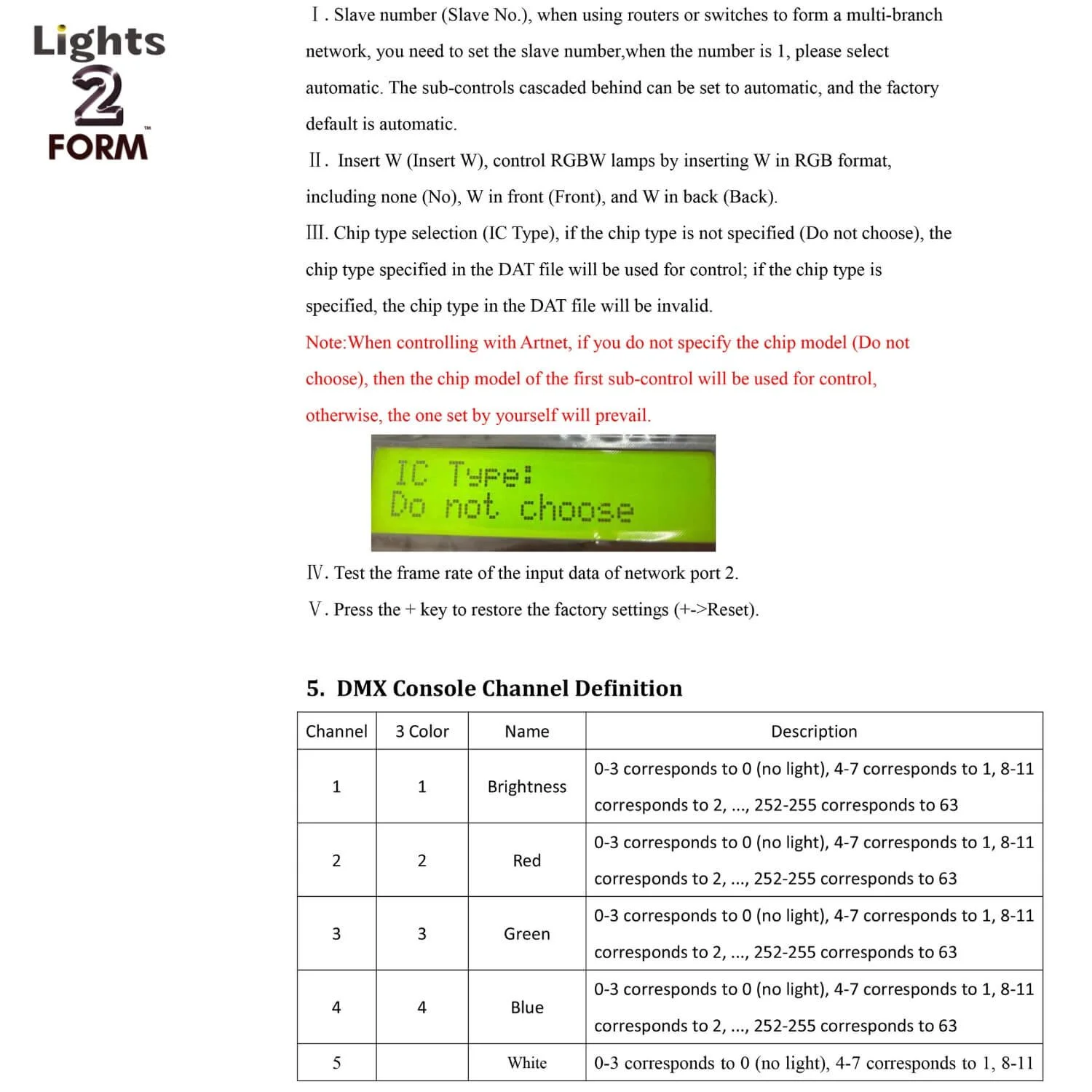 Image 2 of 17
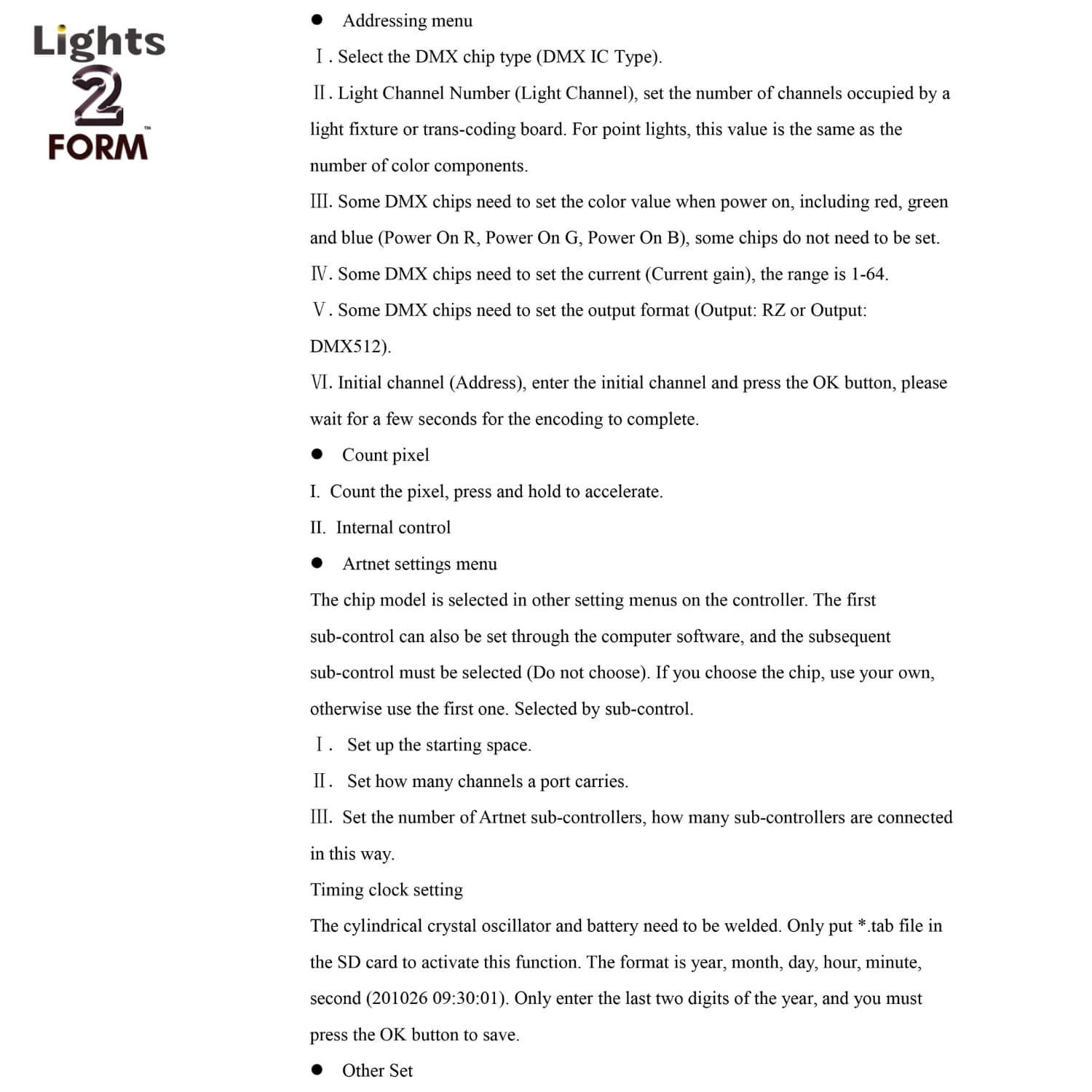 Image 3 of 17
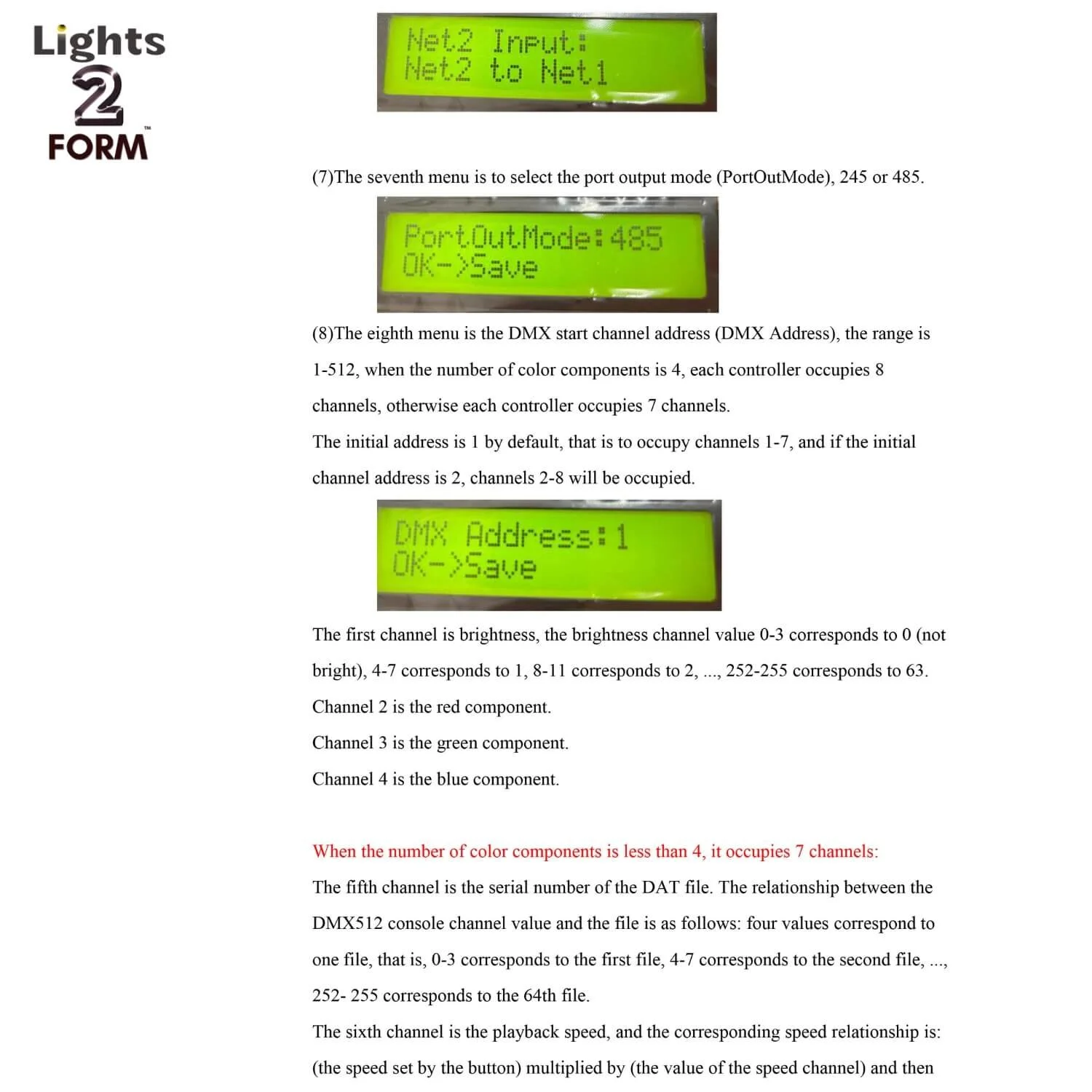 Image 4 of 17
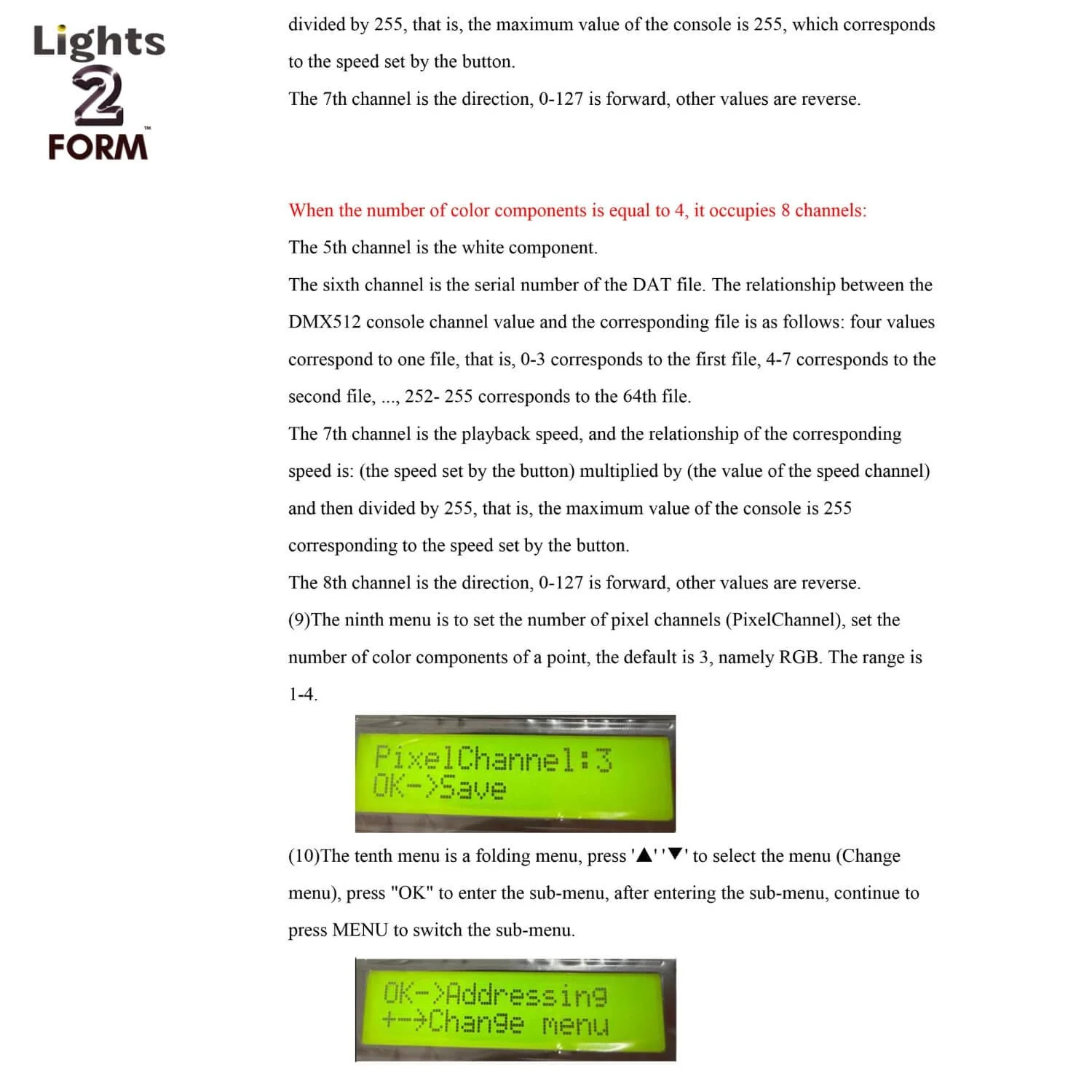 Image 5 of 17
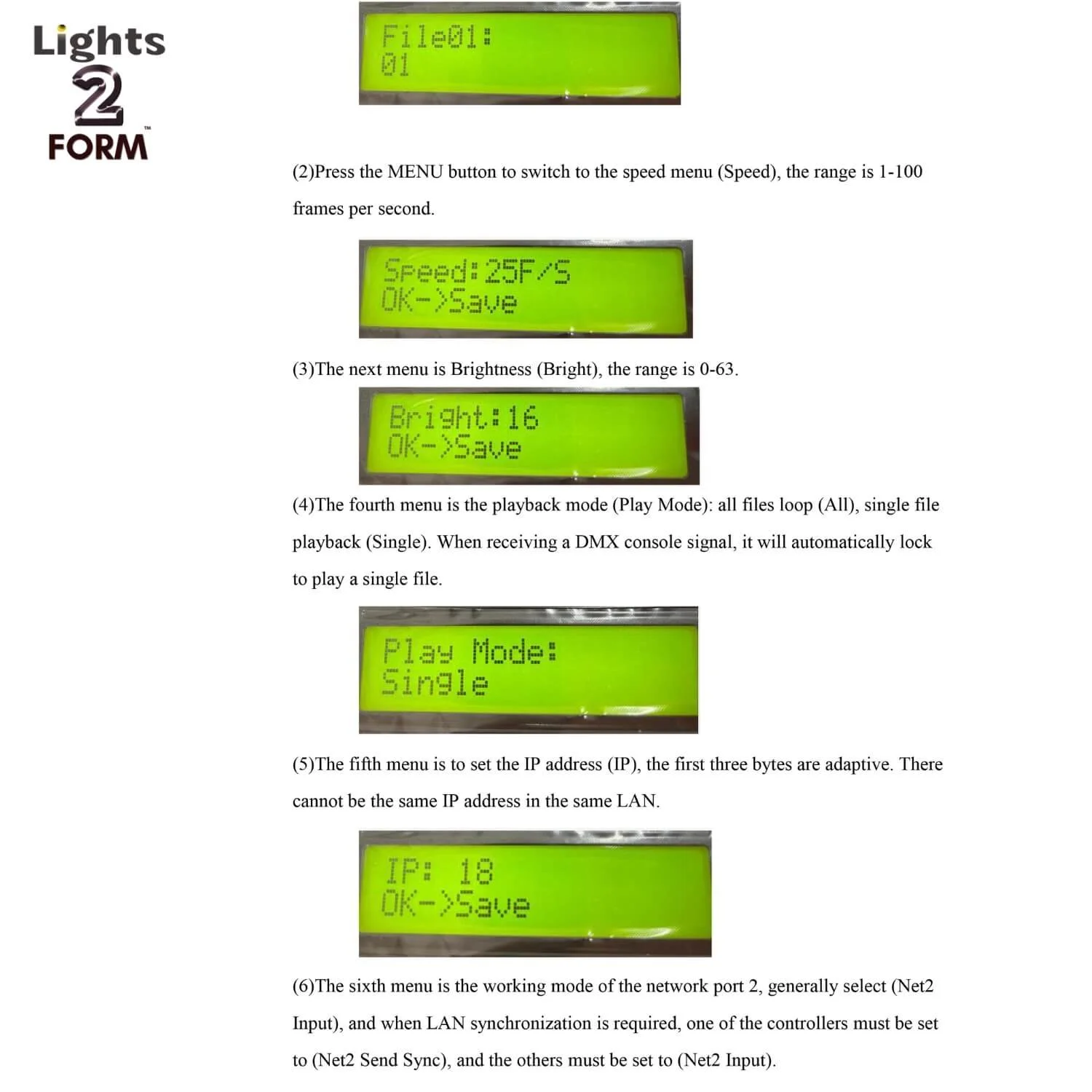 Image 6 of 17
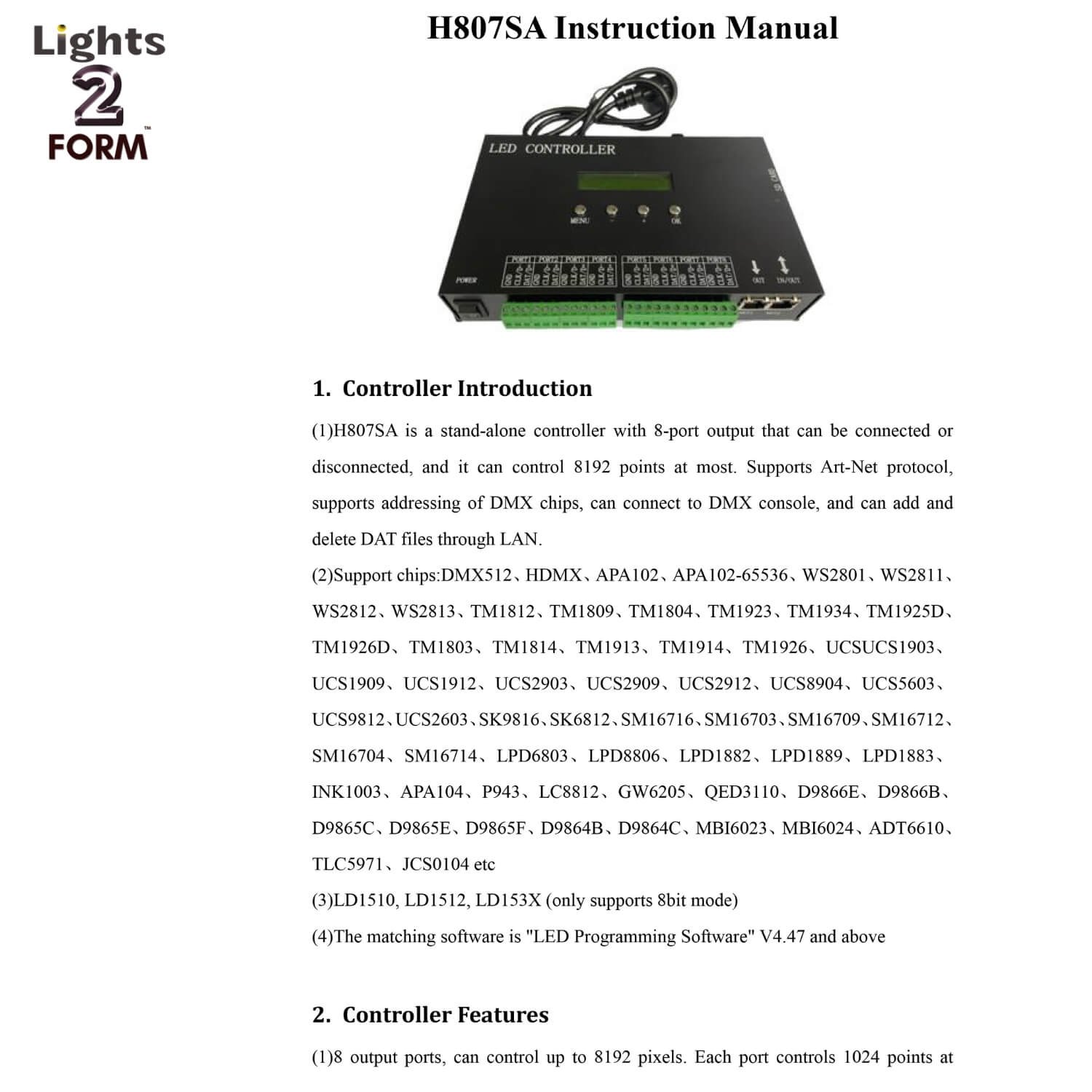 Image 7 of 17
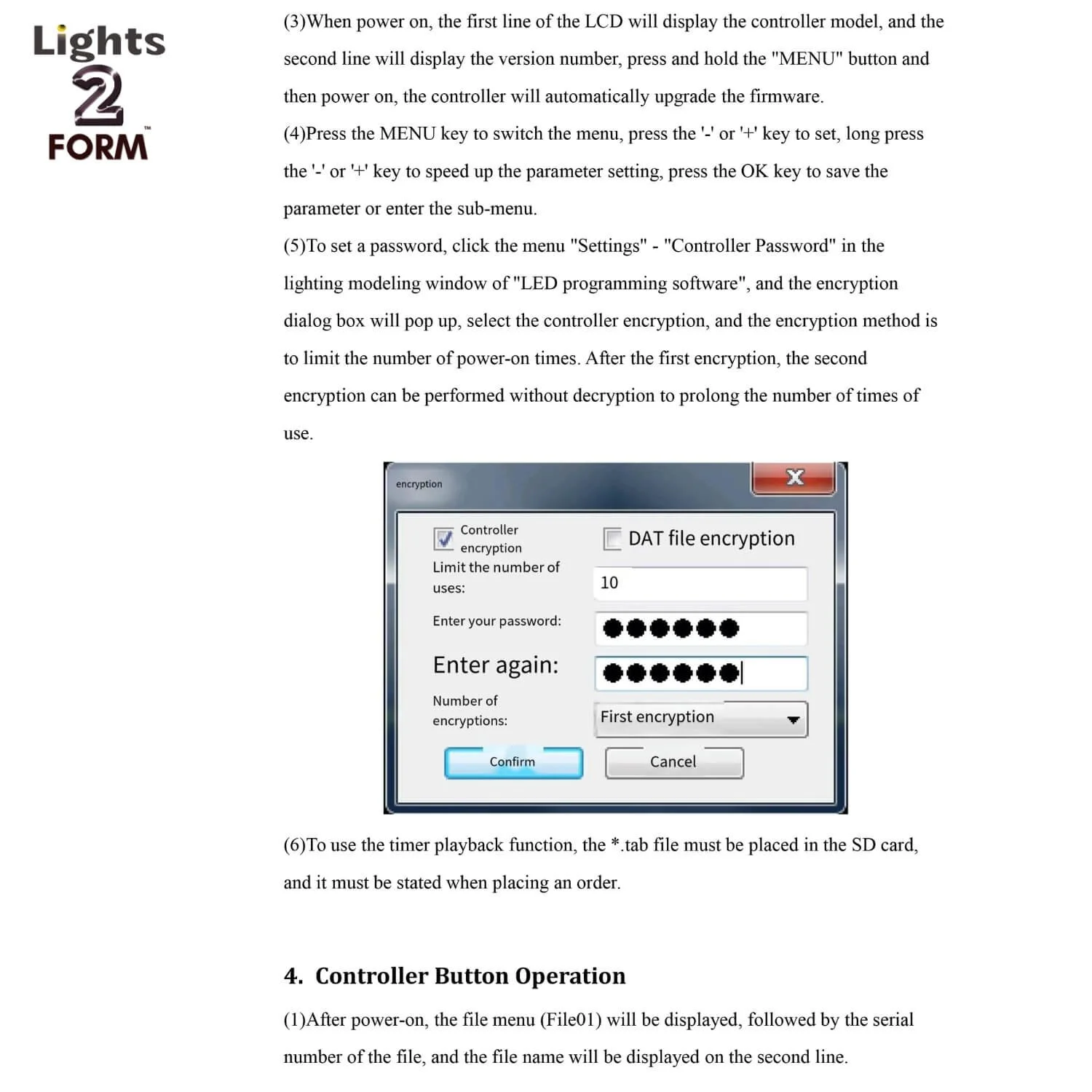 Image 8 of 17
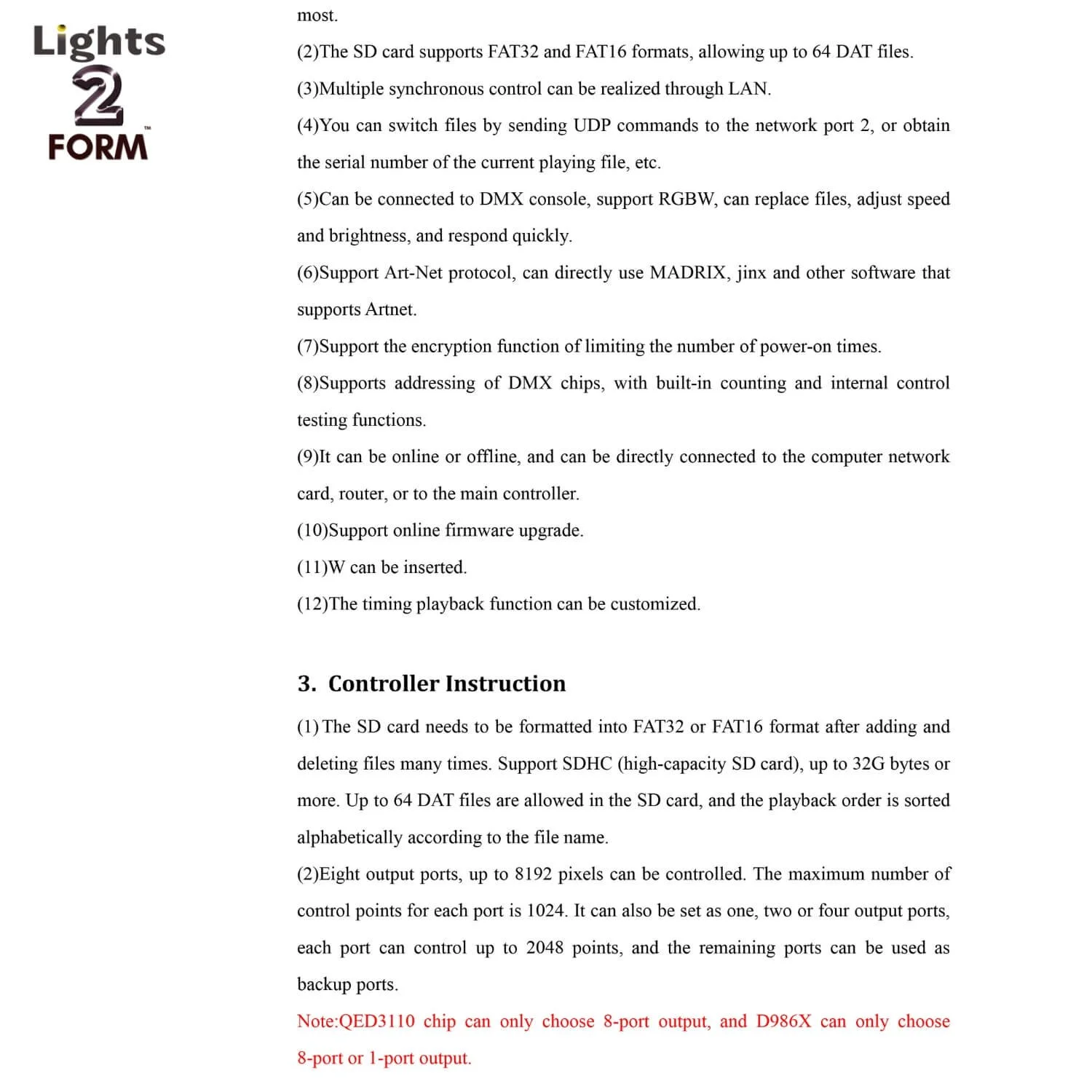 Image 9 of 17
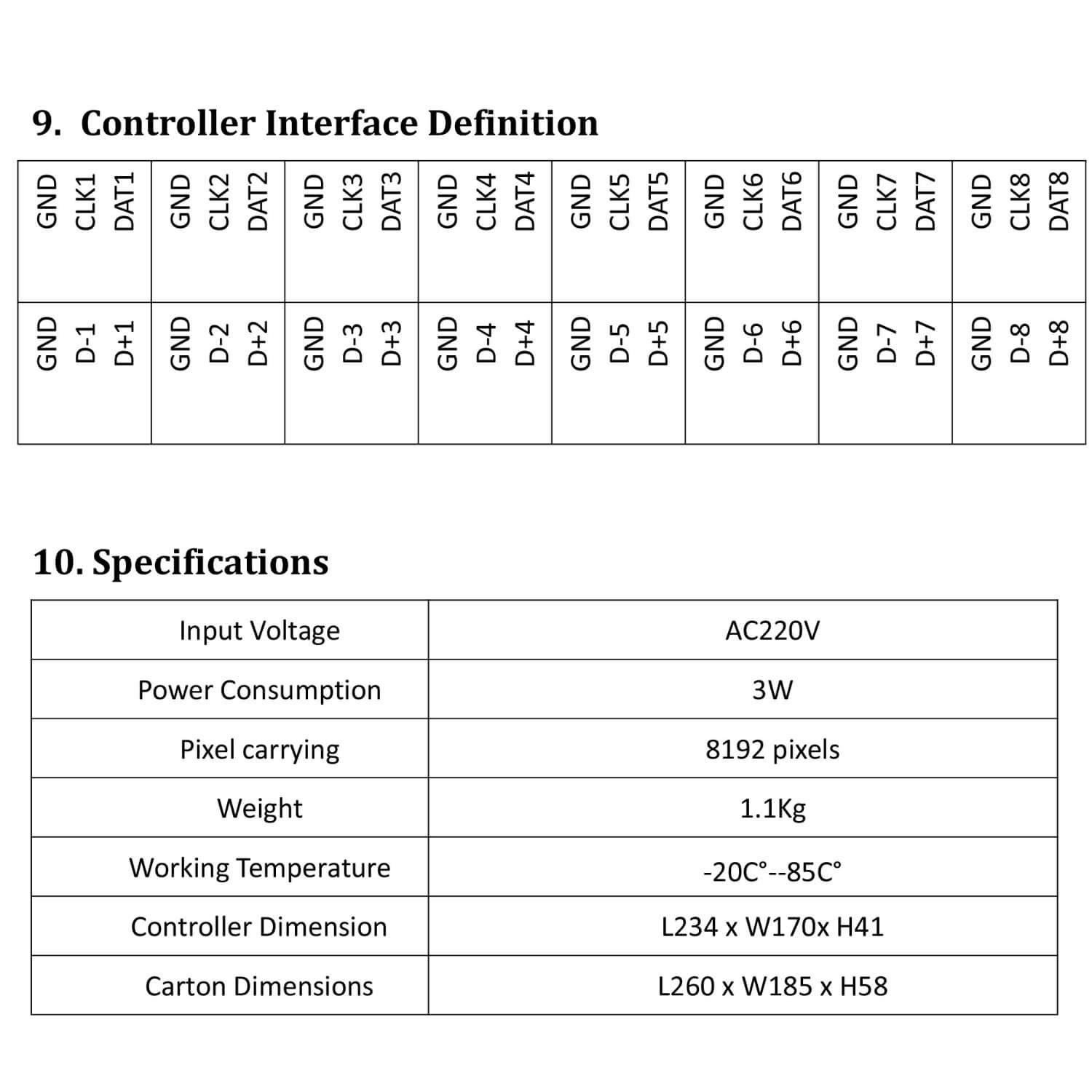 Image 10 of 17
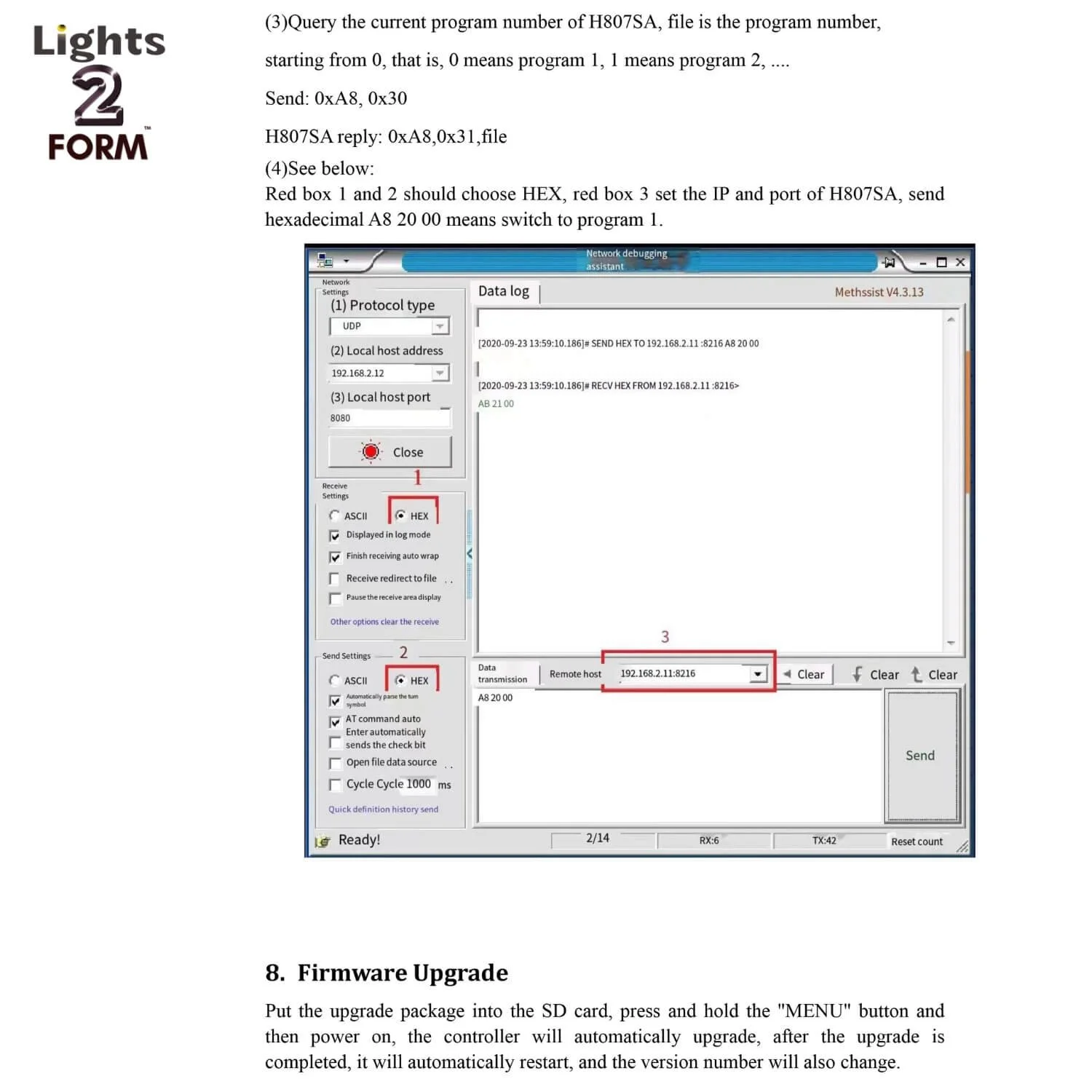 Image 11 of 17
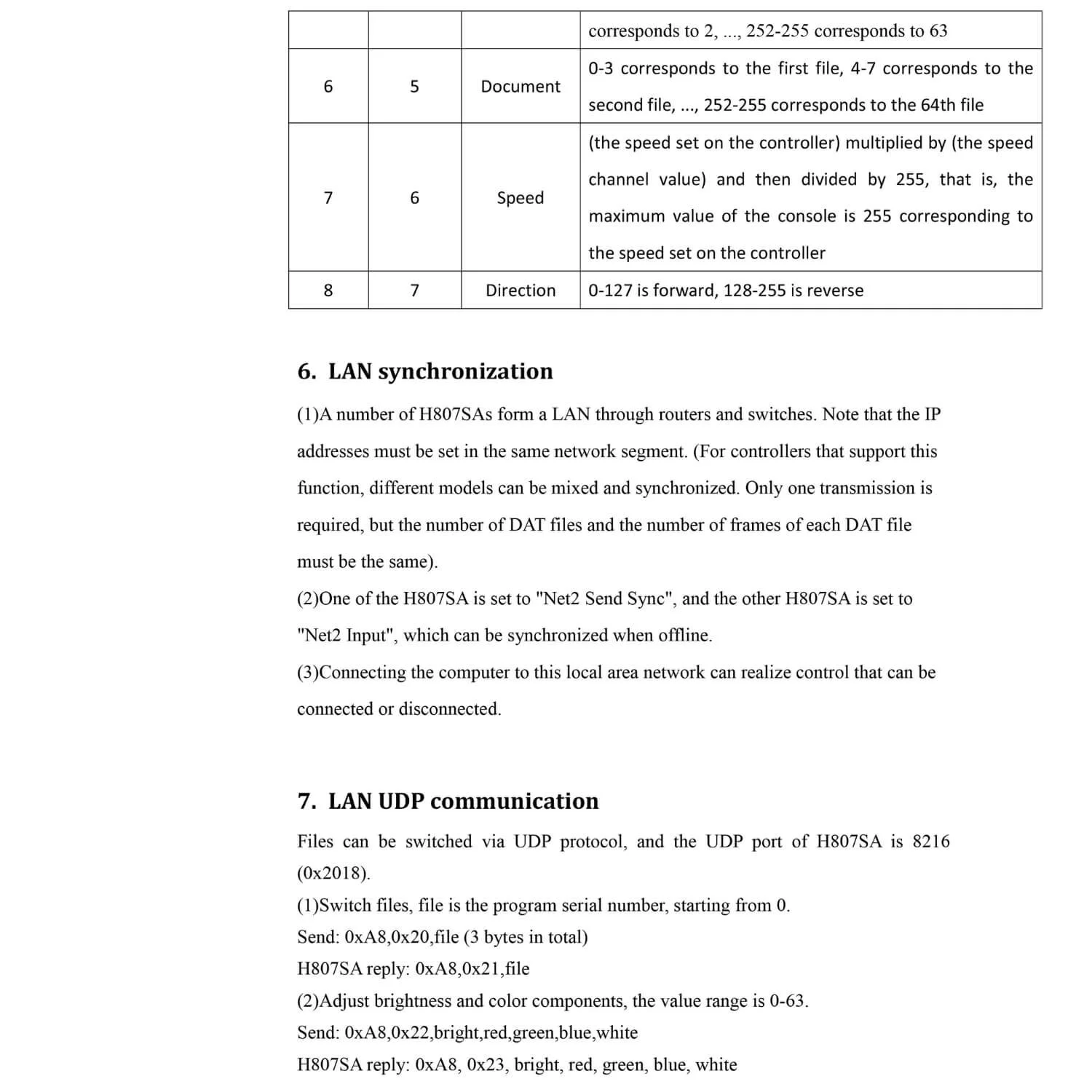 Image 12 of 17
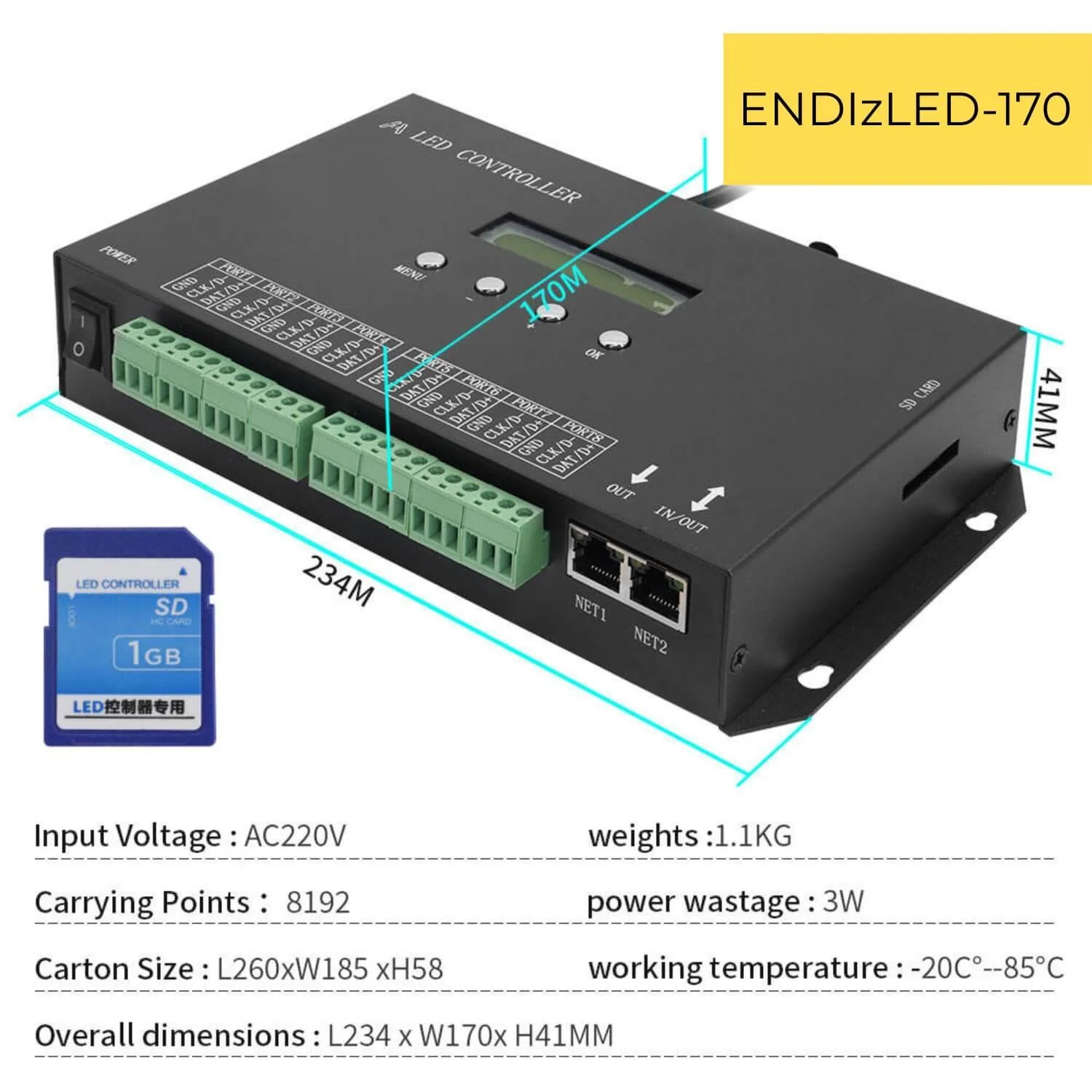 Image 13 of 17
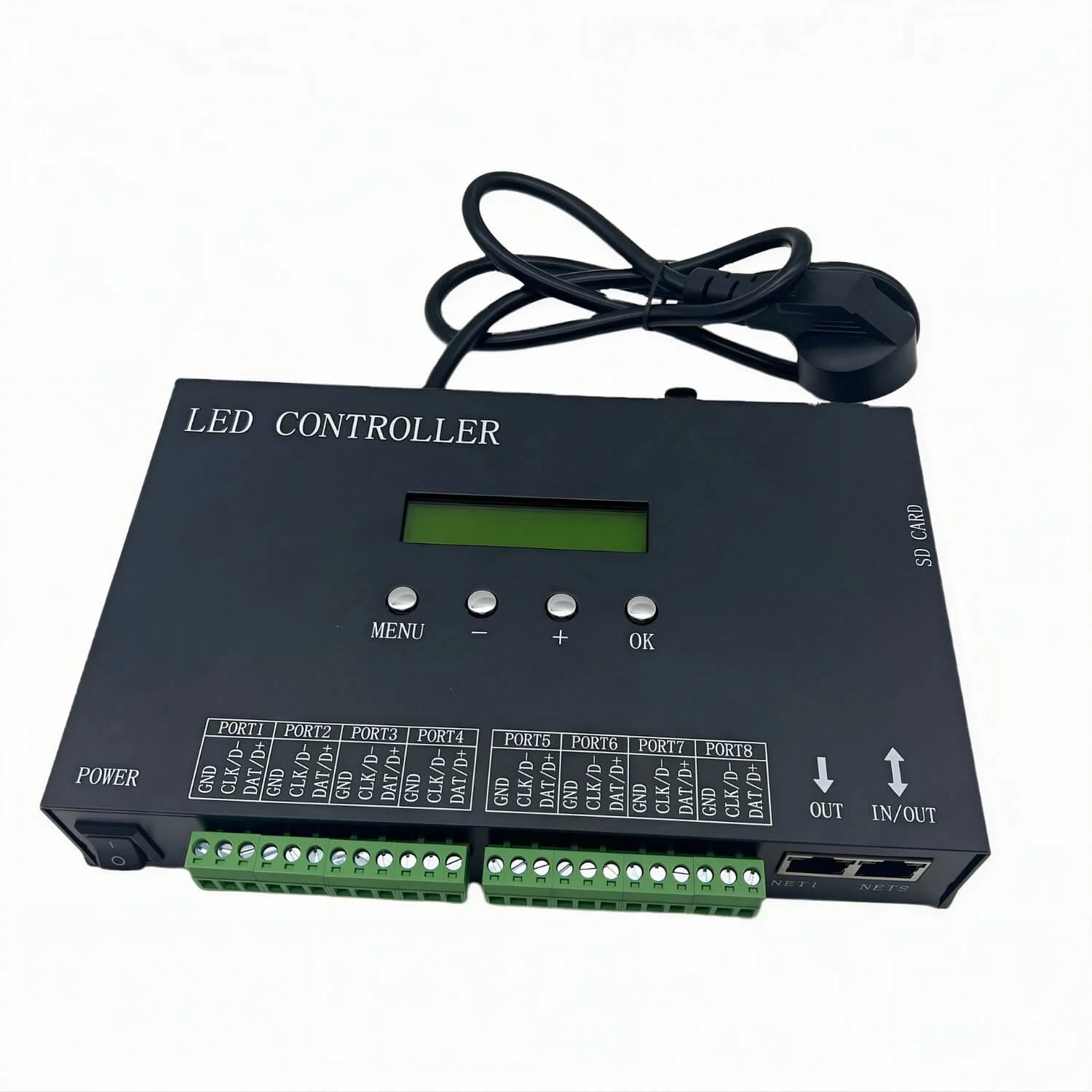 Image 14 of 17
 Image 15 of 17
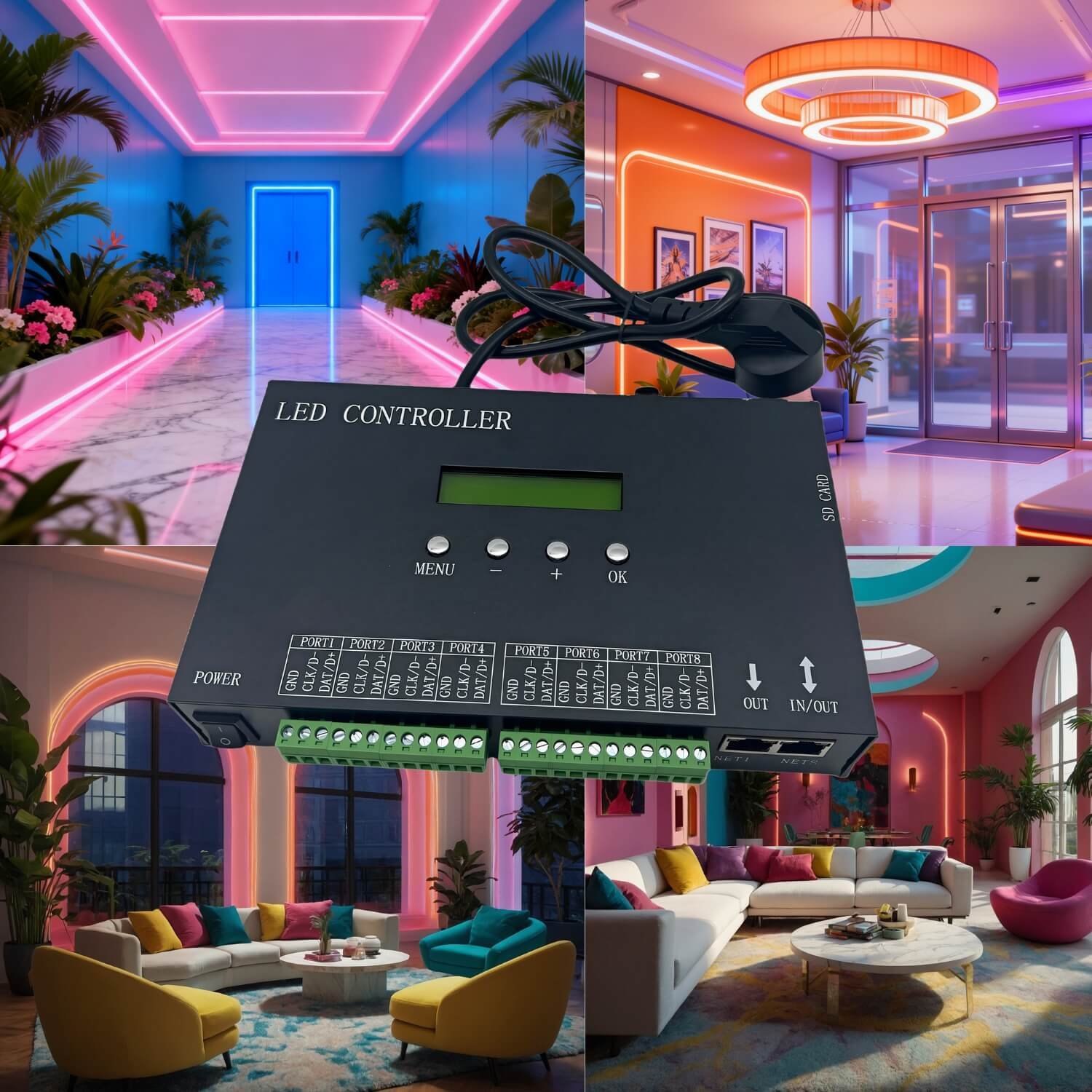 Image 16 of 17
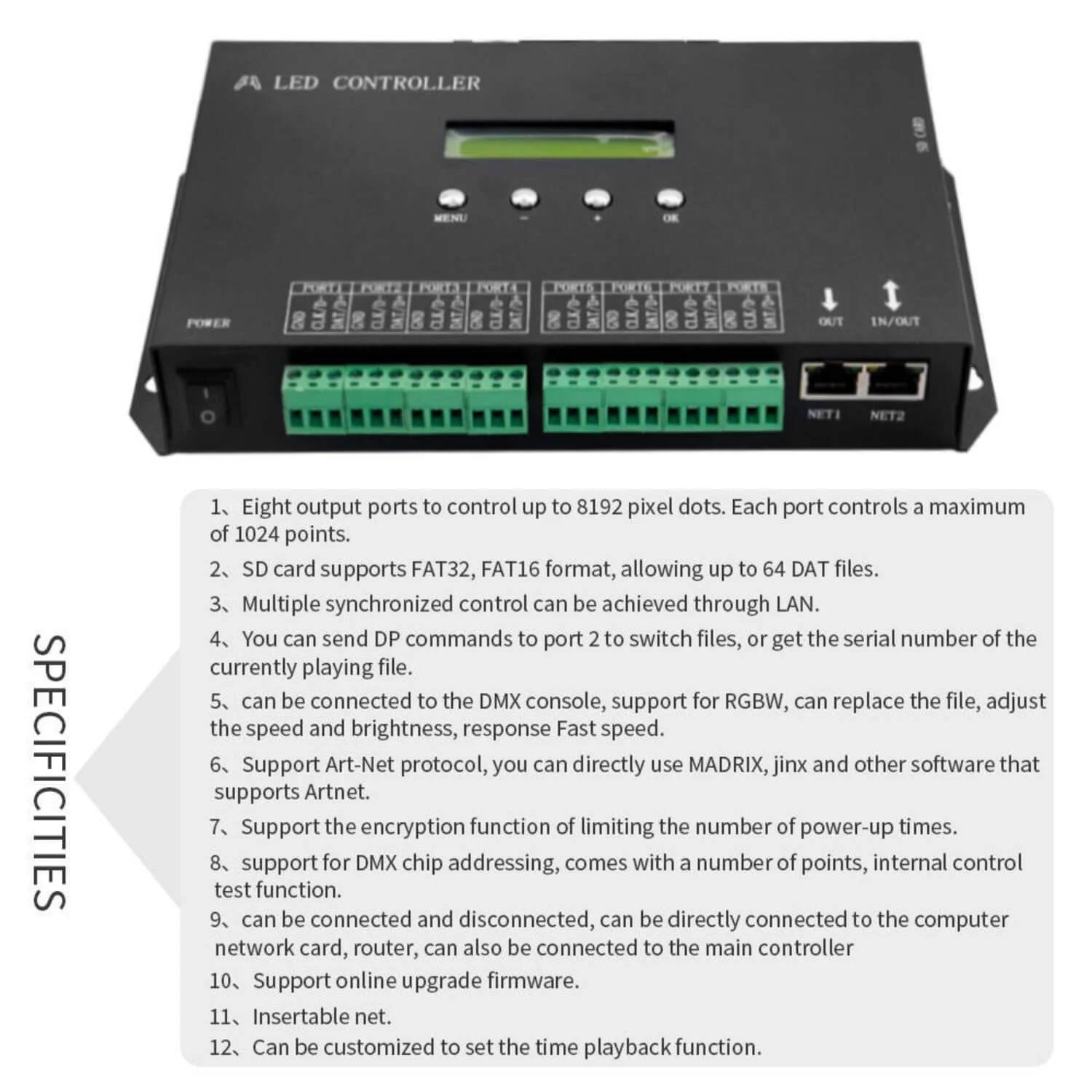 Image 17 of 17